
Step 3
Retrieval practice homework
Retrieval practice makes for effective homework because it reinforces what students have learned, helping to beat the forgetting curve.
fits all homework timetables
no need for parents to help
suitable for all students
worthwhile activity
no marking for the teacher
fits all homework
timetables
no need for
parents to help
worthwhile
activity
not just MCQs, written answers too
no marking
for the teacher
No more setting pointless activities and spending evenings, weekends and holidays marking homework.

How
Choose a lesson each week in which you will set and follow-up regular weekly homework. For two-week timetables, do this on a fortnightly basis or whenever your homework timetable allows.
Set the topic filters for the class to "teacher controlled" and include all the topics taught in the past, not the one you are teaching now.
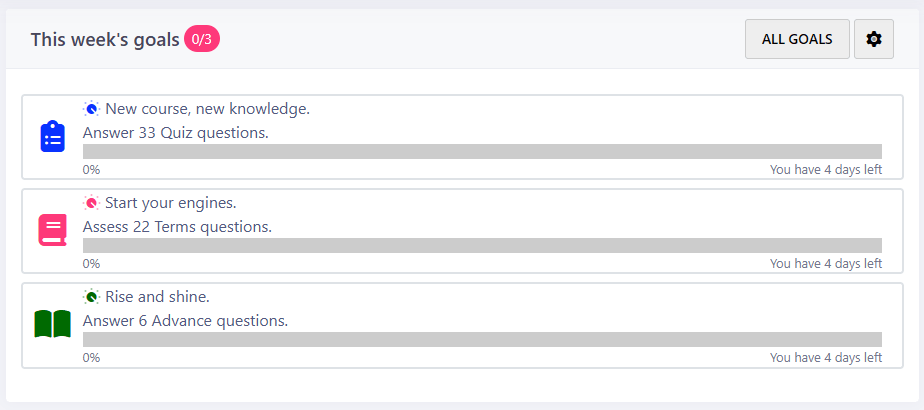
Instruct students to complete their goals. These are automatically set by Smart Revise, personalised to each individual and presented on the student's dashboard.
Students can monitor their progress using their Smart Quiz Usage report.
In the assigned weekly lesson, teachers can check progress using the Smart Quiz usage report too.
Use rewards and sanctions as appropriate. Students who do not meet their target of 35 questions could do this while detained. Maintaining high standards and expectations is the key to success.
Why use Smart Revise
Homework is set automatically.
If used regularly, due to a focus on beating the forgetting curve, students will remember more of what they have learned.
Smart Revise automatically spaces, interleaves and personalises questions for each student with a focus on weaker knowledge. Although content from new topics is always prioritised first, each student will get a differentiated homework experience.
Customise the experience for each class or student with simple sliders to drive towards minimum expectations, target or aspiration.
Choose multiple-choice, subject specific terminology, written exam-style questions or any combination. All exactly matched to the style of your course specification.
Questions are written by selected experienced teachers and examiners. No crowd-sourced or AI generated content.
Big data collected automatically over time is better than analysing one-off homeworks because reports with lots of data are more accurate. Easily identify strengths and weaknesses for the class or individual students over time.
The research says that:
- Students forget what they have been taught gradually over time if they do not regularly revisit what they have previously learned.
- Beating the forgetting curve during the course is more successful than cramming revision at the end of the course.
- Facts need to be recalled not immediately, but as they begin to wane from memory. This is known as spaced practice.
Murre, J., Dros, J. (2015) Replication and Analysis of Ebbinghaus’ Forgetting Curve.
- Homework has a +0.64 effect size for secondary school age students.
- Short, frequent homework closely monitored by teachers has the most impact.
- 5-10 minutes spent practicing what has been taught has the same effect as 1-2 hours of work.
- Rote learning, practice, or rehearsal of subject matter activities have the most impact.
- Task-orientated homework has a higher effect than deep learning and problem solving.
- Open-ended and unstructured tasks have the lowest effect.
Hattie, J. (2008) Visible Learning: A Synthesis of over 800 Meta-Analyses Relating to Achievement. New York. Routledge.
Top tips

Unlock new topics as they are taught so that students have access to new questions.
Don't unselect previous topics that have been taught, maximising the benefits of automatic spacing and interleaving.
Tell students that they will sometimes see questions they have seen before to encourage mastery.
Remind students they can complete Quiz and Terms on their Smartphone, but use a tablet or PC for Advance.
You could set a Task instead, but that will not personalise the questions to each student.