

Until now, the Terms goal has used the Leitner system to determine what students should complete each week. This approach encourages spaced repetition by asking students to review different sets of cards on different days—for example, red cards on Monday, red and amber on Tuesday, and so on. It’s a well‑established technique that ensures less confident concepts are revised more frequently.
However, this method required students to log into Smart Revise multiple times a week and assess cards each time. Many of you told us this was too demanding, but more importantly, it was confusing. Unlike Quiz and Advance, where weekly goals are based purely on the number of questions answered, Terms goals required both a set number of cards and work completed across many days. This sometimes left students unable to meet their goal by the end of the week, which could be demotivating.
Based on this feedback, we’ve redesigned the Terms goal so it now works in the same way as Quiz and Advance. Students simply need to assess a set number of cards each week—no requirement to spread their work across multiple days.
A goal might now be as straightforward as: “Assess 30 Terms questions.”

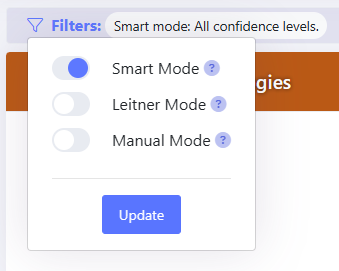
Because of this change, the traditional Leitner system no longer fits as the primary mechanism for Terms goals. Instead, we’ve introduced a new “Smart” algorithm, similar to those already used in Quiz and Advance. Smart Revise now analyses each student’s data and prioritises cards for them, preserving the benefits of spaced repetition and focusing on less secure knowledge—without the constraints of the original Leitner structure.
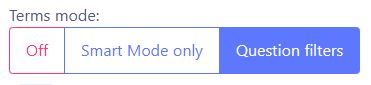
Leitner isn’t disappearing. It remains available as an optional mode when teachers enable question filters in class configuration, making it particularly useful towards the end of a course.
More control for teachers over workload and targets
Teachers now have greater control over how goals help students progress along their flight path.
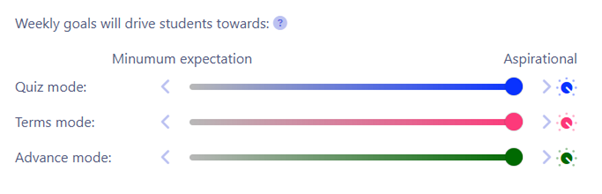
You can now choose the type of goal Smart Revise sets:
- Minimum expectation: a lower‑intensity workload aimed at keeping students on the minimum line of their flight path.
- Middle option: sets goals that help students work within the middle of their target range.
- Aspirational: higher‑demand targets designed to guide students to the top of their flight path.
The little dials giving a visual indication of this setting.
Each goal is calculated independently based on:
- Weeks remaining until the exam.
- Current and desired positions on the flight path.
- The number and status of questions already answered.
To ensure consistency, students are always set something to do each week:
- 10 questions for Quiz.
- 10 for Terms.
- 1 for Advance.
Assuming that many questions are available to the student from the topic filters. At the same time, workload caps prevent unrealistic expectations, even in extreme cases.
Six workload controls for teachers
Teachers now have six levers to fine‑tune the workload for a class or an individual student:
- Flight path minimum expectation start date.
- Flight path aspirational percentage completion.
- Flight path minimum expectation percentage completion.
- Goals Quiz trajectory: minimum, target, aspirational.
- Goals Terms trajectory: minimum, target, aspirational.
- Goals Advance trajectory: minimum, target, aspirational.
These settings can all be found in the class configuration.
To increase the level of challenge raise the aspirational percentage and select the aspirational trajectory for goals. To reduce demands lower the minimum expectation percentage and select the minimum trajectory.
For reference, 100% on the flight path means:
- Quiz: all questions answered correctly three times.
- Terms: all cards are assessed as green.
- Advance: equivalent to completing 4 past papers.
Why not let teachers manually set the number of questions?
The core strength of Smart Revise is that it is genuinely smart. Its algorithms determine not only which questions students should see based on their individual performance, but also the appropriate amount of work for them to meet their targets, guided by teacher preferences.
Manually assigning a fixed number of weekly questions, such as “30 Quiz questions”, removes the data‑driven intelligence that makes Smart Revise effective. Instead of leaving teachers to guess the right workload for each learner, Smart Revise acts as a teaching assistant, reducing workload, removing uncertainty, and delivering personalised, adaptive revision every week.